

Every mobile phone has a unique identification number called an IMEI (International Mobile Equipment Identity) number. This number helps identify your device, especially if it’s lost, stolen, or needs servicing.
In this guide, we’ll show you how to check your IMEI number easily on both Android and iPhone devices.
🔍 What is an IMEI Number?
The IMEI number is a 15-digit unique code assigned to every mobile device. It is used by:
- Mobile network providers
- Law enforcement agencies
- Phone manufacturers
- Insurance companies
If your phone gets lost or stolen, the IMEI can help block the device from being used.
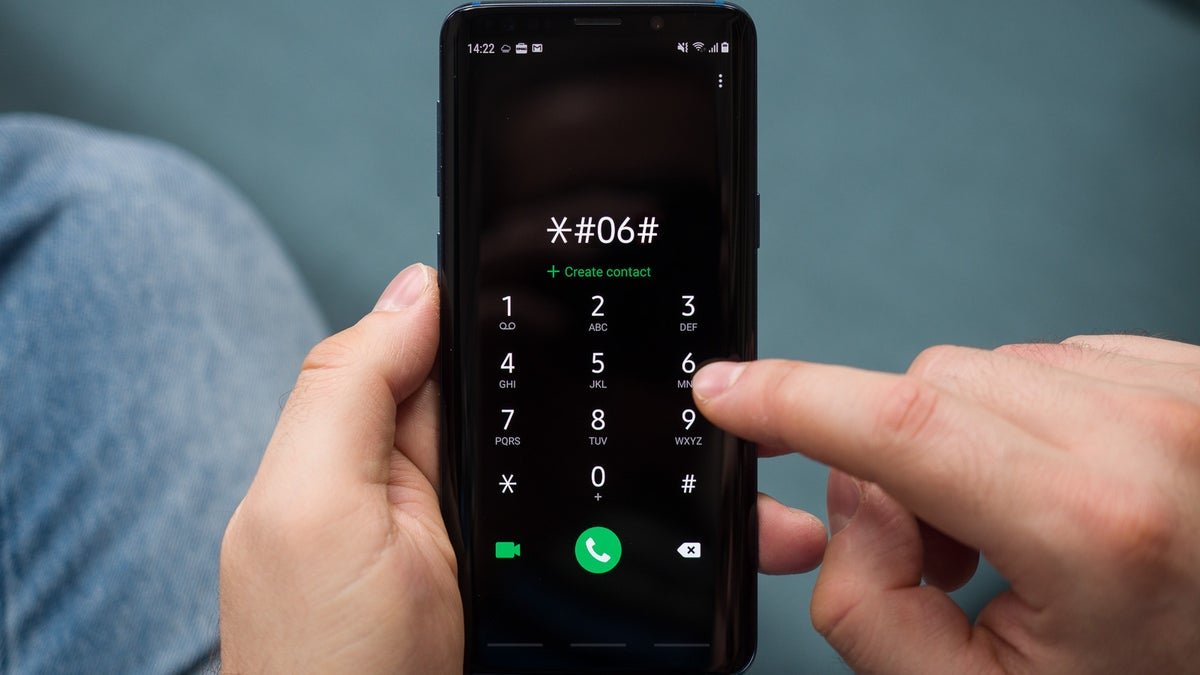
✅ Method 1: Dial a Simple Code (Works on All Phones)
The easiest way to check your IMEI number:
- Open your phone’s dial pad.
- Dial: *#06#
- Your IMEI number will instantly appear on the screen.
✔ Works on both Android and iPhone
✔ No internet required
📱 How to Check IMEI on Android Phones
If you use devices like Samsung, Xiaomi, Realme, or Oppo:
Steps:
- Go to Settings
- Tap About Phone
- Select Status
- Find IMEI Information
Some phones may show IMEI 1 and IMEI 2 (for dual SIM devices).
🍎 How to Check IMEI on iPhone
For Apple devices like the iPhone 15 or older models:
Steps:
- Open Settings
- Tap General
- Select About
- Scroll down to find the IMEI number
You can also check IMEI by:
- Looking at the SIM tray (some older models)
- Checking the original phone box
📦 Check IMEI on the Phone Box
Most smartphone boxes have a sticker showing:
- IMEI number
- Serial number
- Model number
This is helpful if your phone is lost.
🔐 Why is IMEI Important?
- Helps block stolen phones
- Required for warranty claims
- Needed for phone insurance
- Useful when buying a used phone
Before buying a second-hand device, always verify the IMEI to ensure it’s not blacklisted.
⚠️ Safety Tips
- Never share your IMEI publicly
- Only provide IMEI to trusted service providers
- Avoid suspicious IMEI checking websites
📌 Final Thoughts
Checking your IMEI number is simple and takes less than a minute. Just dial *#06# or check in your phone settings. Keeping your IMEI saved somewhere safe can protect you in case of theft or loss.
















😳 Withdraw +1,824457 BTC. Log In - yandex.com/poll/MHjpsbzYiRKpBEU48DzHgH?hs=b136ec41a600730043a189401778e8fe& 😳
osvyis